

Prop Firm Migration Checklist: Accounts, Rules and Cutover
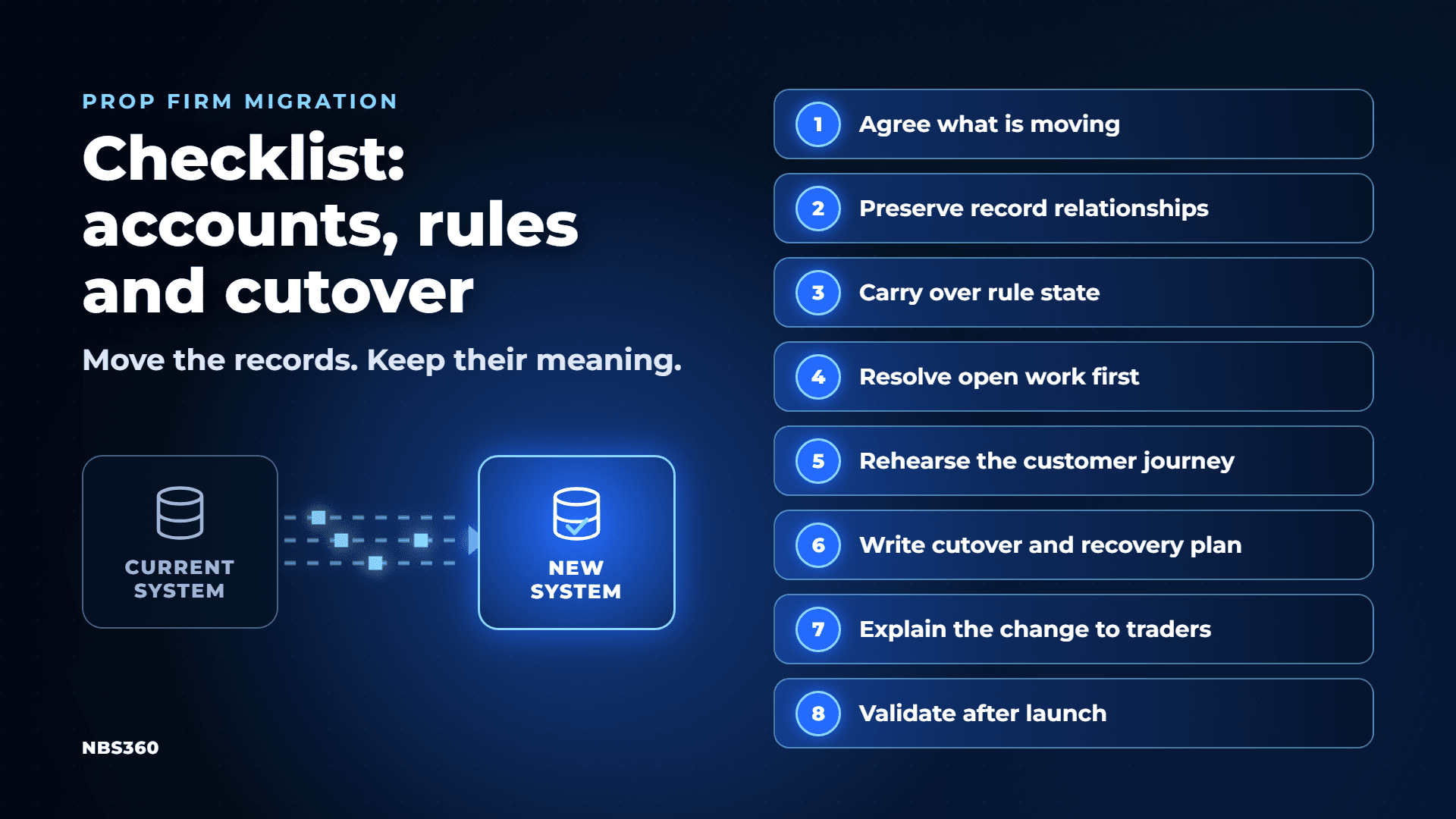
Changing a prop firm's technology provider affects more than the website traders log in to. It can also affect account records in your prop firm CRM, challenge progress, rule calculations, payout requests and the information your team uses to make decisions.
The objective is to move the operation while preserving the meaning of those records. A balance that imports correctly is not enough if the account arrives in the wrong stage or its drawdown reference changes.
If you are still deciding whether to switch, start with NBS360's guide to reasons to change prop technology. Once the decision is made, use the following checklist to structure the migration discussion.
1. Agree what is moving
Define the scope before setting a launch date.
Are you replacing the CRM, the trader portal, the trading platform, or several components together? Will existing trading accounts stay where they are while the back office changes? Which services must move at the same time?
Create an inventory of the records and connections involved:
- Customers and their associated trading accounts.
- Purchased challenges, account stages and applicable rule versions.
- Trading history, balances and relevant risk references.
- Verification records and funded agreements, where applicable.
- Payout requests, review notes and payment references.
- Orders, refunds, discounts and affiliate records.
- Messaging, payment, verification and trading-platform connections.
For each item, record who can export it, its format, who owns the transfer and how the result will be checked. Confirm the permitted handling of personal data and documents with the appropriate parties.
2. Preserve relationships between records
A migration needs to preserve which records belong together.
One customer may have several evaluations, a funded account and a pending payout. Matching everything by email alone can produce ambiguity, particularly where addresses have changed or duplicate profiles exist.
Create a mapping between the original and destination identifiers. Retain enough source references for staff to trace an order, account or payout back to its history.
Separate the user's status from each account's status. A failed evaluation should not make a different active account appear failed.
NBS360's prop firm CRM separates trader records, challenge operations, funded accounts and payout requests. Confirm how your source records can map into the intended configuration.
Check more than the total count
Matching customer totals does not prove that the import is correct. Check account counts by stage, missing relationships, duplicate identifiers and exceptions.
Review individual cases as well as aggregate totals: a customer with several accounts, an account awaiting funding, a rejected payout with a recorded reason, and an inactive programme that still has historical records.
3. Carry over rule state, not just balances
Risk calculations may depend on values that are less visible than the current balance.
Depending on the programme, these can include the daily reference balance, a drawdown high-water mark, trading-day counters, earlier breaches and the time of the last reset.
Consider a hypothetical account with a current balance of $50,000. If its applicable trailing floor had already risen to $49,000, importing only the balance and recreating the account from default settings could change its remaining risk allowance.
The migration specification should identify which values continue, which are recalculated and which intentionally restart under the agreed programme terms.
Compare the destination calculation with the source using the same account snapshot and timestamp. Include open positions, commissions and other adjustments relevant to that calculation.
NBS360's risk-management environment covers configured rules, account oversight and payout readiness. Compatibility with each existing rule and historical reference needs to be confirmed during planning.
4. Resolve open work before the switch
Pending operations need a named owner and an explicit destination.
An approved payout awaiting transfer is different from a request still under review. A payment received without a created account is different from a failed checkout.
List the outstanding queues before the final transfer. Decide which items will be completed in the existing system, which will move, and which require manual reconciliation.
Prevent duplicate processing. For example, a payout imported as pending should not be paid again if it was already executed while the export was being prepared.
NBS360's payout-management workflow includes request status and decision history. Confirm which historical notes and payment references can be carried over or retained in a separate archive.
5. Rehearse the connected customer journey
A successful data import does not prove that the connected services work.
Test the journey from purchase to account creation, credential delivery, rule monitoring, progression and payout review. Include failures and retries.
A repeated payment notification should not create two accounts. An email failure should not silently erase an otherwise valid purchase. An account passing its evaluation should progress according to its own programme conditions.
Use test records and an appropriate test environment. Confirm that test activity cannot trigger real payouts, customer messages or unintended live account changes.
NBS360's integrations span trading, payments, verification, communications and analytics. The migration plan should name the exact providers and workflows being tested.
6. Write the cutover and recovery plan
Cutover is the point at which the new system becomes the operational destination.
Specify the sequence, responsible people, expected service interruption and criteria for proceeding. Decide how new purchases, trades, payout decisions and other changes will be handled while data is being transferred.
General migration guidance from AWS recommends rehearsed cutover plans and defined recovery procedures. It also highlights an important complication: once the new system accepts transactions, returning to the old system requires a plan for that newly created data.
For a prop firm, that means agreeing which system is authoritative at each stage. Avoid leaving both systems free to make conflicting account or payout decisions.
Define stop conditions, such as unmatched active accounts, unexplained balance differences or incorrect rule calculations. Assign someone with authority to delay the switch.
7. Explain the change to traders
Tell customers what changes, when it changes and what action they need to take.
Explain how they will access their accounts, whether credentials change, how account history will be available and where to ask for help. If service will pause, communicate the affected functions and confirmed window.
Distinguish a technology change from any change to programme terms. Where conditions are intended to continue, make that continuity clear and verify that the configuration matches it.
Give support staff a short reference covering common access problems, account-status questions and escalation routes.
8. Validate the operation after launch
Check the first purchases, account creations, status transitions and payout actions in the new environment. Reconcile them against the expected results.
Track unresolved exceptions with an owner, evidence and next action. Retain appropriate access to historical records for support, reconciliation and other applicable requirements.
Set a sign-off process for the migration. A successful login is one checkpoint; completion also requires confidence in the account relationships, rule calculations and operational queues.
Before committing to a move, ask the prospective provider to work through your actual data structure and representative accounts. Explore NBS360's platform and request a private demo to discuss your current stack, migration scope and validation requirements.